Funnels
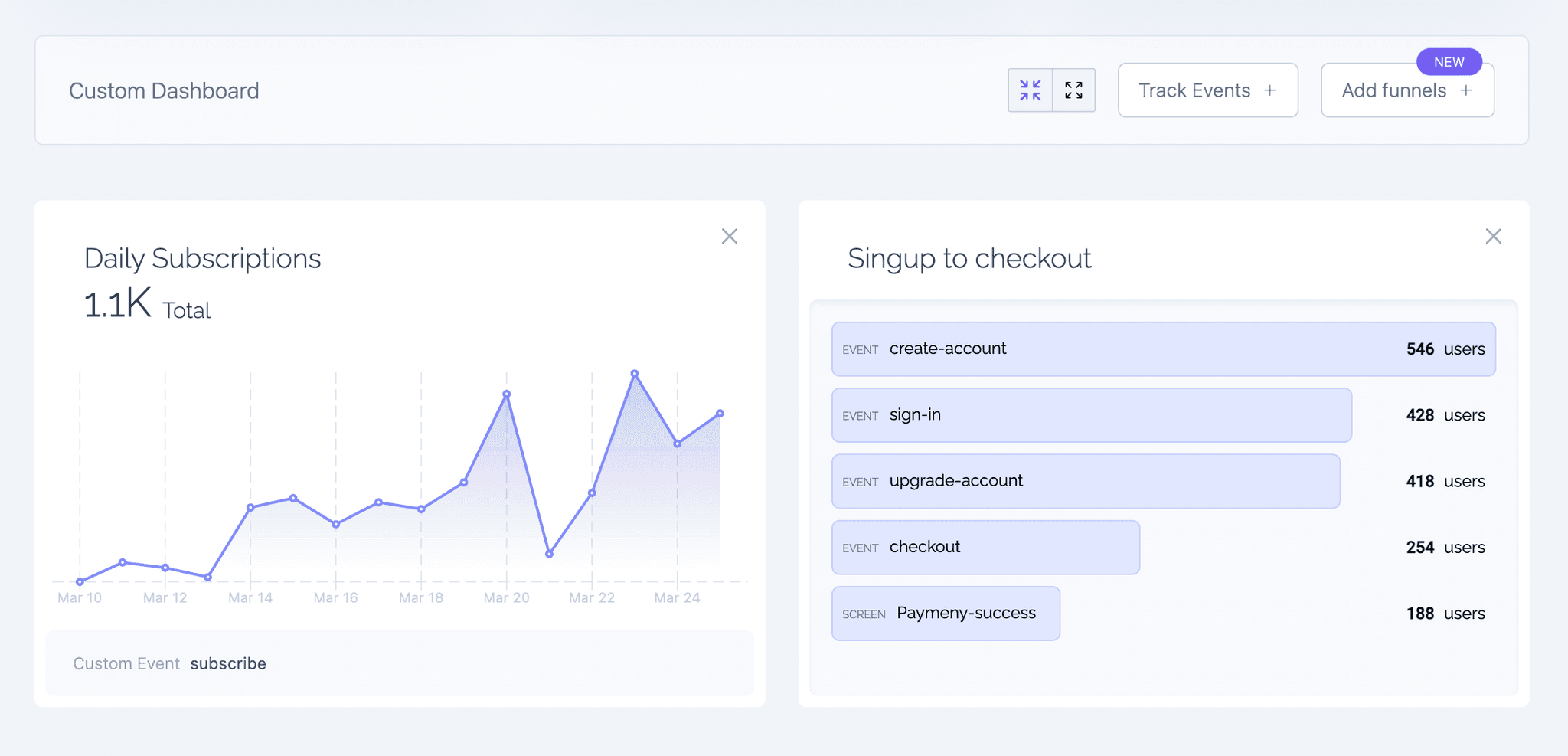
Funnels help you visualize how users move through a series of actions on your website. You can identify where visitors drop off and where they continue, helping you optimize flows like onboarding, checkouts, or feature adoption.
Usage
To create a funnel:
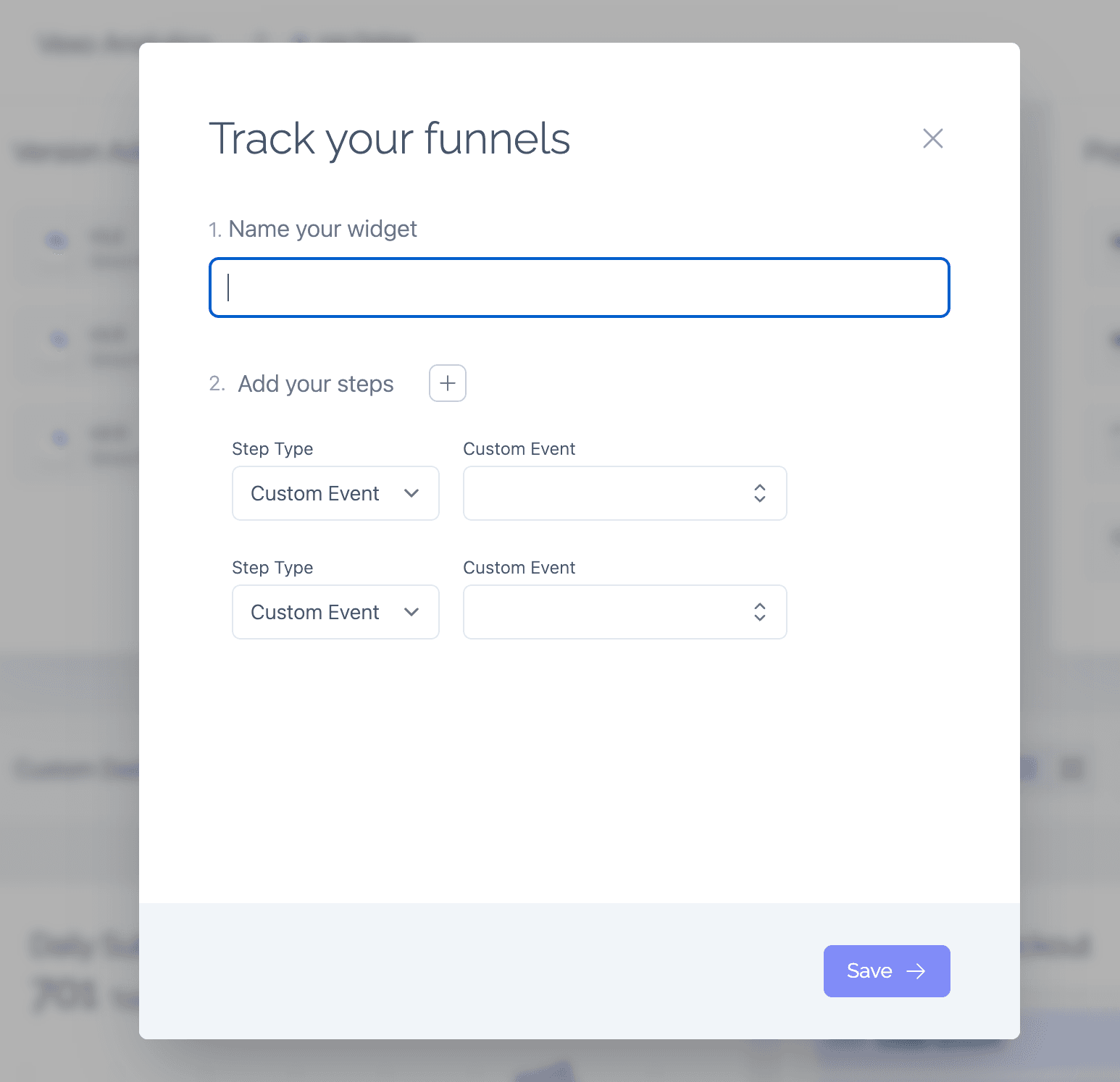
- Click on the Add Funnel button in your dashboard.
- Define your funnel steps using either custom events (e.g., “Clicked Sign Up”, “Completed Purchase”) or routes (e.g., “Visited Pricing Page”, “Viewed Checkout”).
- A funnel requires a minimum of two steps and can include up to eight.
- Save your funnel and Vexo will start tracking user progress through those steps.
You can then analyze the funnel to see how users advance, where they drop off, and where they convert — giving you clear visibility into your website’s performance and opportunities for improvement.