Introduction to the Dashboard
Vexo prioritizes simplicity and speed. You won't need to create custom reports or navigate complex configurations. Rather than overwhelming you with hundreds of unused metrics, Vexo delivers the essential insights that truly matter for understanding user interactions with your app.
The dashboard is clear, fast, and ready to use, requiring no training or setup.
Top Graph
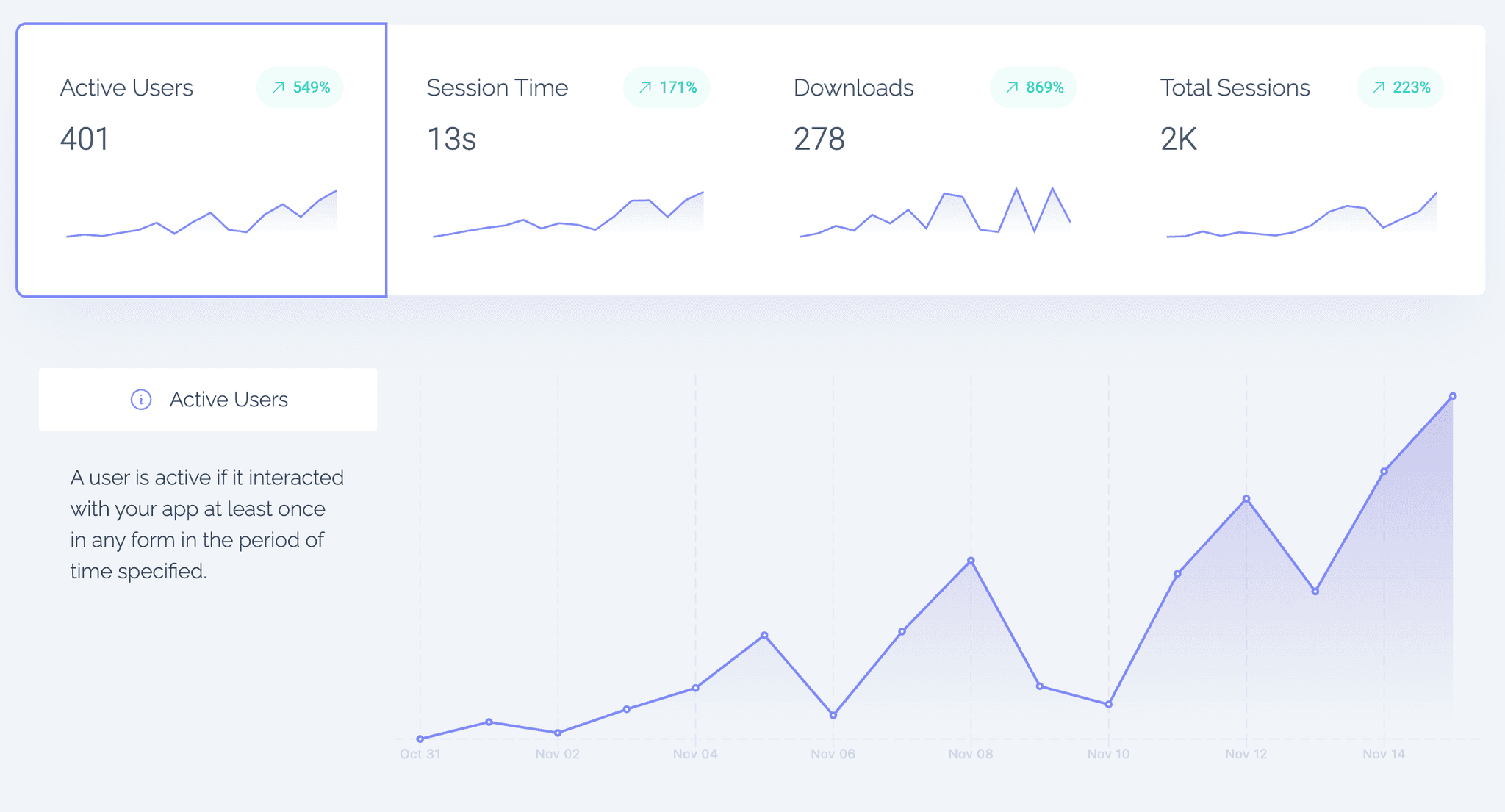
See the number of Active Users, Session Time, Downloads and Total Sessions. You can click on a particular metric to display it in the top graph. You can choose a different time range that you want to analyze in the date picker in the top right.
Filtering and Segmenting Your Data
You can dive deeper into any report by clicking on an entry to filter your dashboard by that value. This makes it easy to create segments in seconds.
For example, click on a specific location, app version, or operating system to instantly focus your dashboard on those users.
You can also use the Filter button at the top of the dashboard for more advanced filtering — such as combining filters for App Version, Country, and Operating System simultaneously.
Example use case:
Show me users on Android version 1.2.3 in France.